
Turn your words into phone actions.
A desktop AI assistant for your Android phone and local workspace. Choose your model, describe the task, and follow along from your computer.
Free desktop client. Your model service may charge separately.
Your choice of model
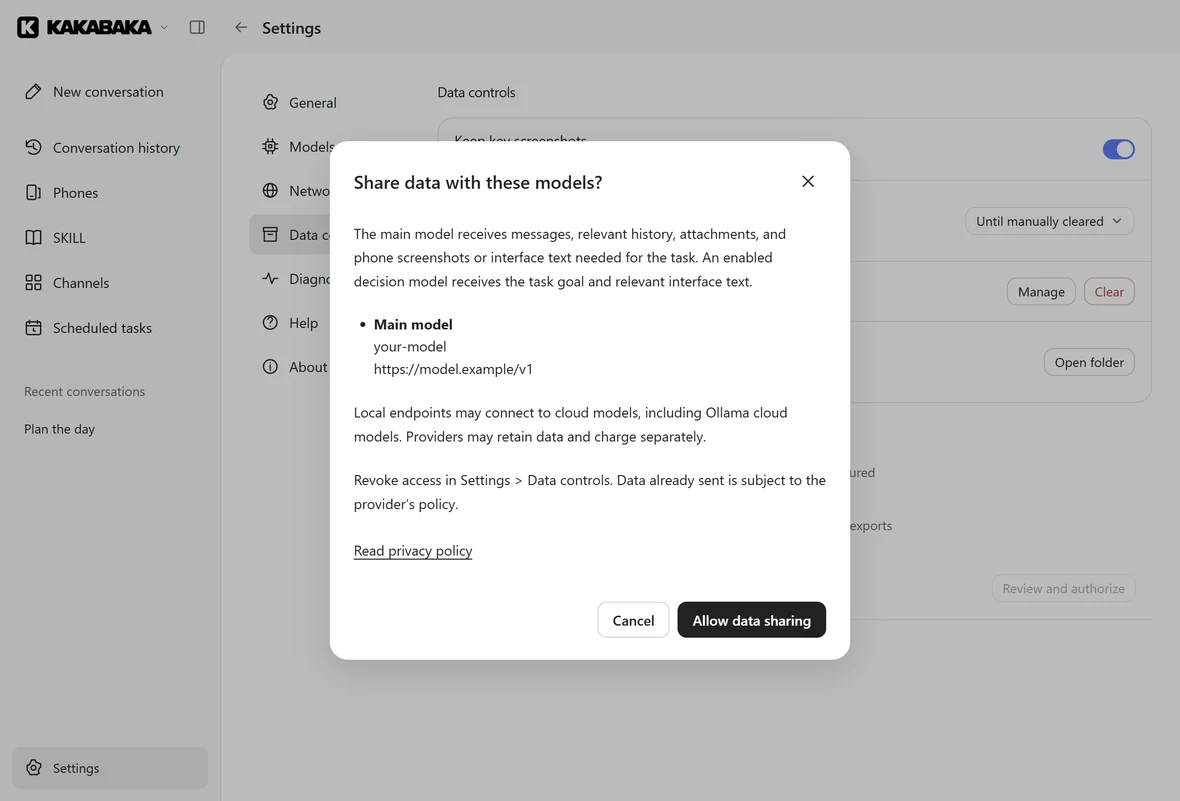
Use a compatible API or configure Ollama.
Your own phone
Connect an Android device you authorize.
Your next move
Stop a task, give direction, or take over.
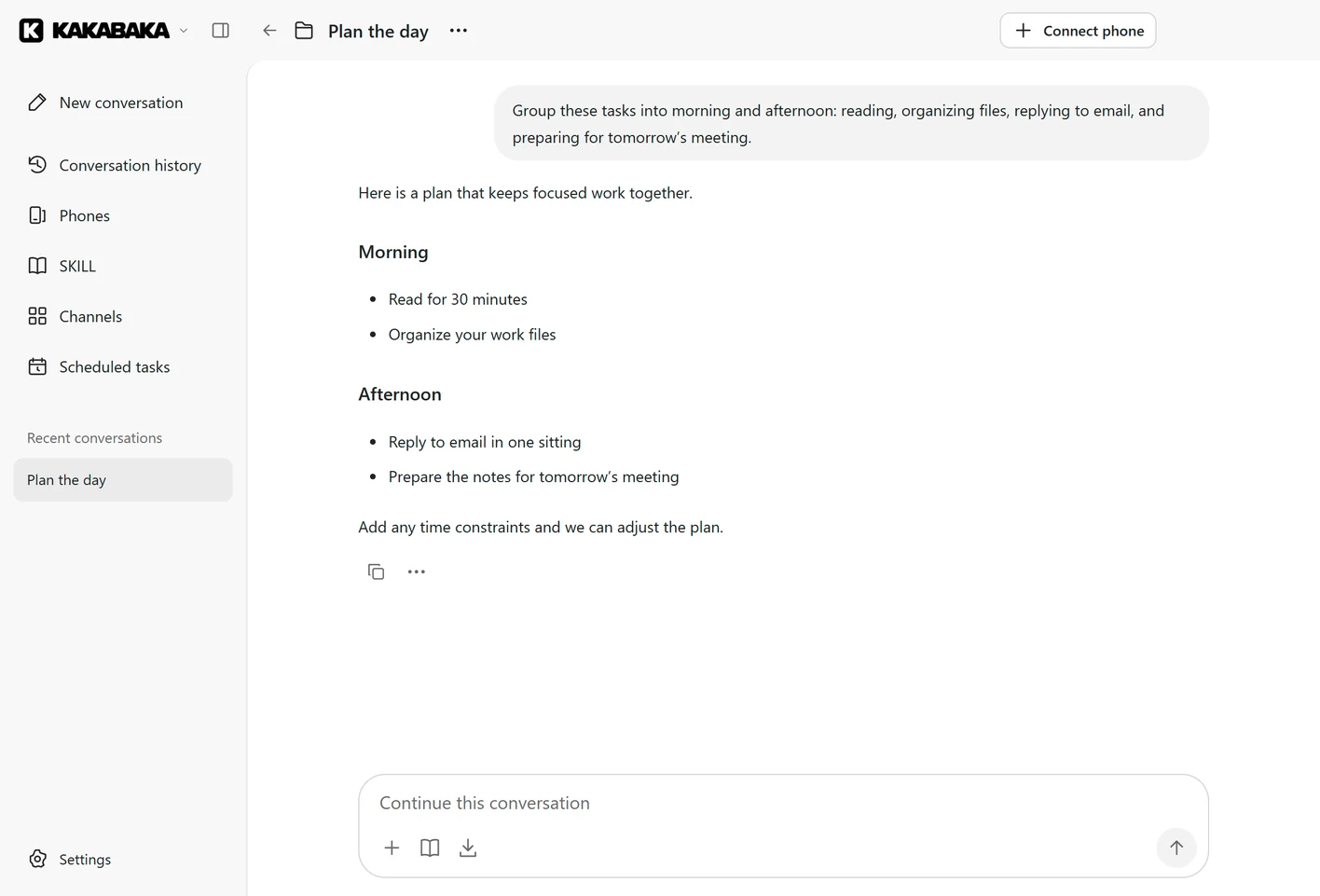
From a conversation to the work at hand.
Ask for a phone task, work with files in a local folder, or combine the two. Keep the instructions and results together in one conversation.
Use the phone you choose
Connect more than one Android device and choose the one suited to a task. USB and wireless connections require your authorization.
Give repeat work a schedule
Configure recurring tasks on your computer. The desktop host, selected model, and any required phone must remain available.
Continue from a chat channel
Allow a conversation in a supported channel to start tasks. Channel access and local file access are separate choices.
Keep a hand on the task.
Watch the conversation as work progresses. Add an instruction, stop the current task, or operate the phone yourself before continuing. Review the result before relying on it.
Read the connection guide- Describe the taskChoose a phone or workspace and make the goal clear.
- Follow the progressStay with the conversation and add direction.
- Check the resultStop, take over, and decide what happens next.
A desktop home for your Android phone.
The client is free. Bring a model account or compatible local service, and connect a phone you own or are authorized to operate.
Windows
Windows 11 · x64
Microsoft Store release in preparation
Mac
macOS 15 or later · Apple silicon
Preview · direct distribution
Public installer links are not available yet. Contact us to request a test build.
Before you start.
Does it include an AI model subscription?
No. The desktop client is free; you configure your own model. API usage, cloud models, and other connected services may charge separately.
Can I use an iPhone?
Phone automation currently supports Android. The macOS client runs on a Mac and connects to an Android phone; it does not automate an iPhone.
Does everything stay on my computer?
History, settings, and the workspace are stored locally. Task data needed by your selected model is sent to that endpoint. Channels and remote access also use the services you configure. Review the privacy policy before enabling them.
Do scheduled tasks run with the computer off?
No. Keep the desktop app running, the model reachable, and any required phone connected and authorized. Phone locks, network changes, and service limits can interrupt a task.
Is WhatsApp included?
The first Microsoft Store release does not include WhatsApp access. Connected-channel availability depends on the edition, service, account, and region.
Can AI make a mistake?
Yes. Check the task and its output, especially before sending messages, changing files, or making decisions. Stop the task and take over if the screen or result is unexpected.
Make the first task a small one.
Set up a model, authorize a phone, then try a task whose result you can check.
Need a hand?
Tell us what you were trying to do and what happened. You can use the same address for support, privacy requests, or AI content reports.